Cutvey Meter · Color & light meter for iPhone, iPad and Apple Watch
Color meter and sun tracker.
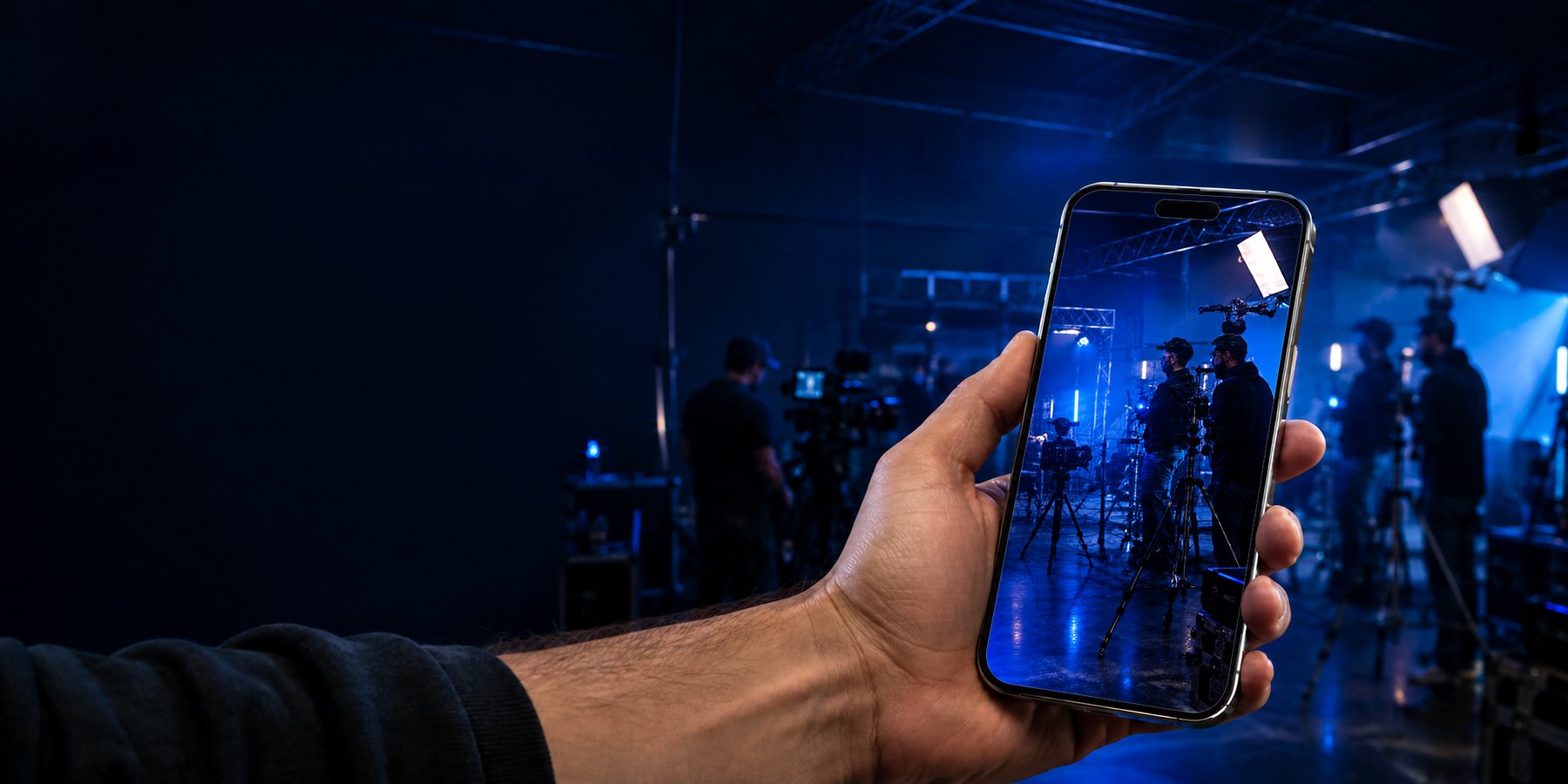
Walk onto any set and know your light. Use the phone you already carry to set your white balance in kelvin and tint, meter your exposure and work out the ND you need. Built for filmmakers by filmmakers: the tool for gaffers and cinematographers who have to match one light to another.
Walk onto any set and know your light, with the phone you already carry.
$19.99, once.
Included with your Cutvey membership.
$19.99, once. No subscription.


SC 1 · INT. ROLLER RINK · DAY · DEMONSTRATION FRAME
White balance
Mixed light all over the rink, and the talent standing in the middle of it.
Aim at a gray card, or the wall the light is hitting. The reading settles in a second and the badge says how sure it is. Carry the card from the orange lamp to the bounce boards and the reading follows it, settling each time you stop.

Drag the gray card into any light on this set.
Hold LOG under the party light for a RAW reading.
In the app you tap the reading to switch to GRAY CARD, then fill the frame with the card.
| Source | What the crew calls it | Example reading | Your reading |
|---|---|---|---|
| The whole frame | AWB, before the card | 4650 K · +1.2 · HIGH | not logged |
| Bounce boards, frame left | Big soft bounce | 5650 K · +1.2 · HIGH | not logged |
| Small lamp, frame right | Tungsten with an orange gel | 2750 K · +0.4 · HIGH | not logged |
| Tube on the floor | Warm practical | 2900 K · +3.1 · HIGH | not logged |
| Party light over the tinsel | RGB party light | LOW · DIFFICULT SOURCE after a RAW reading | not logged |
| Where the talent stands | The bounce and the lamp together | 4300 K · +0.6 · HIGH | not logged |
Demonstration frame. We drew in the light from each lamp you can see so you can try the meter here. On set, the app reads it through your camera.
Asked on set
How do you white balance under mixed light?
Put an 18% gray card where the talent stands, fill the frame with it and read it in GRAY CARD. The camera sees the lights that actually land on the talent, mixed the way they mix, and you get one kelvin and tint to set, with the badge saying how sure it is.
SC 2 · INT. APARTMENT · DAY ·
DEMONSTRATION FRAME
Match
Match one light to another
Pin the light you are trying to match with REF, then point at the other one. The card shows both readings, the difference in kelvin and in mired, and the gel that closes it. Not “these are 1,400 K apart” but “half CTO, plus 18 mired”, which is the answer you were actually after.
Try it on this set. The window is daylight and the panel beside it is tungsten: pin the window with REF, hold the card in the panel's light, then drag a gel from the book onto the panel until the card says MATCH.

Try it on this set. The window is daylight, the panel beside it is tungsten, and REF already holds the window. Tap a sheet in the book to clip it on the panel, and the card works out what is left.
LEE numbers, as the app names them
Drag it onto the panel, or press Enter to clip it on.
| Source | What the crew calls it | Example reading | Your reading |
|---|---|---|---|
| Hard sun through the window | Daylight | 5600 K · +0.4 · HIGH | not logged |
| The panel by the window | Tungsten-balanced LED | 3150 K · +1.2 · HIGH | not logged |
| The same panel, Full CTB (LEE 201) | Tungsten plus full blue | 5540 K · +1.2 · MATCH | not logged |
| ND for T2.8 at ISO 800, 180°, 24 fps | Window-lit room | ND 0.9 | not logged |
Demonstration frame. We drew in the light from each lamp you can see so you can try the meter here. On set, the app reads it through your camera.
Asked on set
How do you match a tungsten panel to window light?
Work in mired, a million divided by the kelvin. A 3150 K panel sits 139 mired warmer than a 5600 K window, and Full CTB (LEE 201) takes 137 off, so one sheet leaves the panel 2 mired from the window. Within 5 mired the card says MATCH.
Expose
Exposure and ND calculator
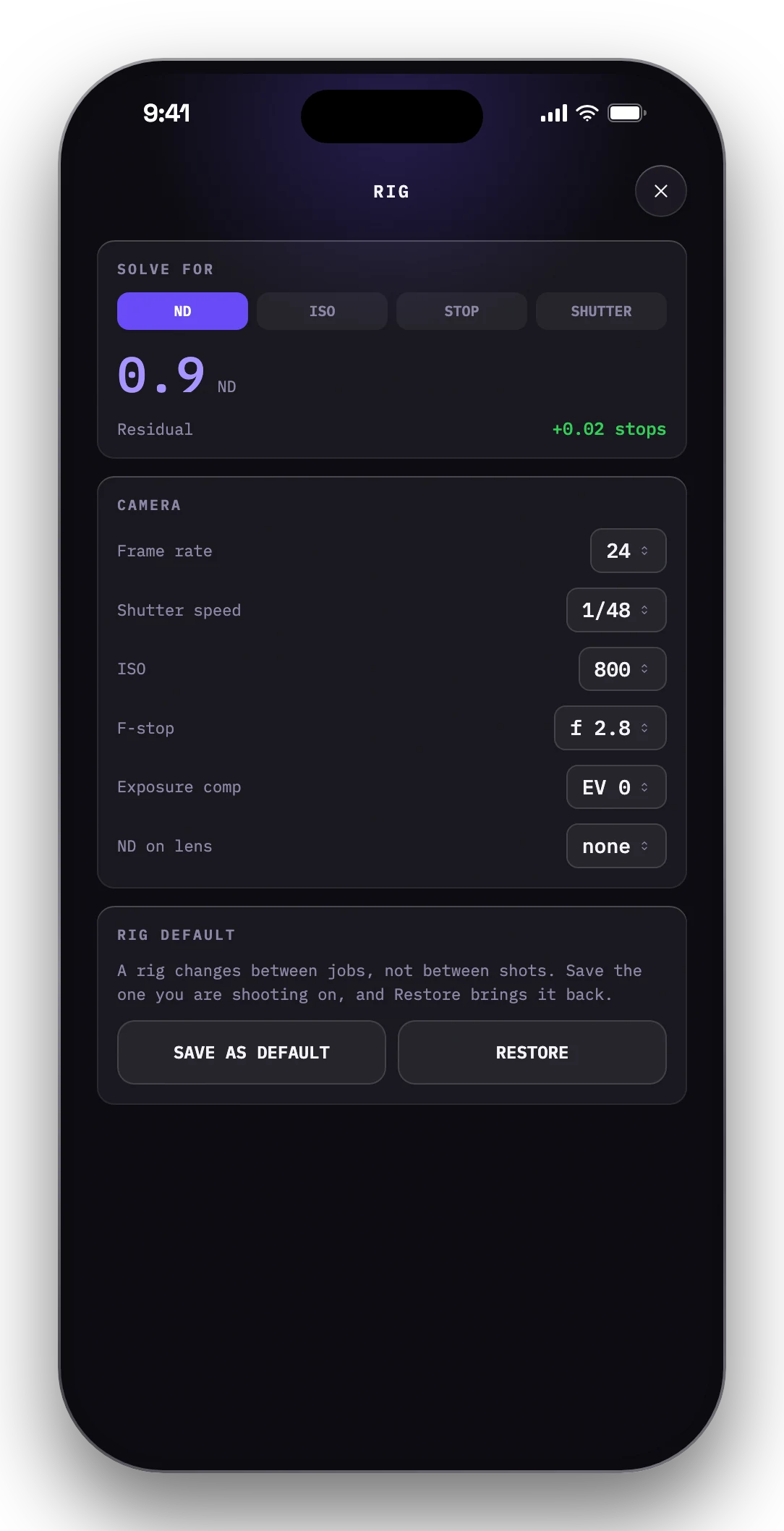
Tell it your ISO, stop, shutter and frame rate once, and the strip under the reading keeps a live ND recommendation. Or change it to solve for ISO, stop or the shutter instead.
Tap the ND strip on the card to open the rig.
| Rig | ND |
|---|---|
| T2.8 · ISO 800 · 180° · 24 FPS | ND 0.9 |
| T4 | ND 0.6 |
| T8 | NO ND |

SC 3 · INT. ATTIC · NIGHT ·
DEMONSTRATION FRAME
A meter you can trust
It tells you how sure it is.
Watch the badge as the reading settles: LOW, MEDIUM, then HIGH when the number is worth writing down. On a cheap LED or a fluorescent tube, the kind of spiky light no camera can pin down, it says DIFFICULT SOURCE rather than making one up. It is a camera used as a meter, not a spectrometer, and it knows the difference. If you own a reference meter, calibrate against it and this one reads like it.
By the candles it settles at MEDIUM and stays there, because a flame never sits still. On the painted backdrop it reads HIGH.
The meter framed on the candles in the attic set at night: a cinema camera on sticks, the talent by a painted backdrop, candles burning on a small table.
| Source | What the crew calls it | Example reading | Your reading |
|---|---|---|---|
| Candles on the table | Candle practicals | 2050 K · +1.1 · MEDIUM, the flame moves | not logged |
| Painted backdrop | Warm wash on the canvas | 2950 K · +0.5 · HIGH | not logged |
| Gap in the roof boards | Cool light from outside | 6400 K · +0.2 · HIGH | not logged |
Demonstration frame. We drew in the light from each lamp you can see so you can try the meter here. On set, the app reads it through your camera.
Asked on set
How do you know a reading is reliable?
Watch the band on the kelvin scale. It is the spread of the meter's samples, and the badge reads it for you: HIGH when the band is narrow, MEDIUM while the light keeps moving, as a candle does, and LOW while you swing from one light to the next.

SC 4 · EXT. RIDGE · SCOUT DAY
Plan
See where
the sun will be
Stand where the camera will be and the app draws the sun's path over the live view: hour markers, a compass ribbon, the horizon. Drag the scrubber and the sun walks its path, and you can see the four o'clock light while it is still eleven.
Golden hour is when the sun sits between 6° above and 4° below the horizon, and blue hour runs on from 4° to 8° below. Type where you're shooting and the date, and you get both, with sunrise and sunset, in local time.

Cutvey Meter · Call sheet · Sun and light
TIMES IN EASTERN DAYLIGHT TIME (UTC−4)
ATLANTA · SAT OCT 17 · SUNRISE 7:44 AM · GOLDEN HOUR 6:28 TO 7:16 PM · SUNSET 7:01 PM · BLUE HOUR 7:16 TO 7:36 PM
MORNING · BLUE HOUR 7:09 TO 7:28 AM · GOLDEN HOUR 7:28 TO 8:17 AM
Times for the place you typed. The arc in the phone is drawn over our photo of a ridge, and on location the app lines it up with your camera. This page never asks where you are.
Drag the scrubber on the card.
The printed times stay put.
Proof slot · owner supplied
A frame from a real scout with the arc as the app drew it, and a named quote from whoever shot it. Left empty until they exist.
Asked on set
When is golden hour?
Golden hour is when the sun sits between 6° above and 4° below the horizon, and blue hour runs on from 4° to 8° below. Type where you're shooting and the date, and you get both, with sunrise and sunset, in local time.
Wrap · Three weeks later
Keep
Every reading keeps its frame
LOG saves the reading with the frame you were pointing at, and they collect as a contact sheet, newest first. Compare any two side by side, share one with its picture, and every reading remembers the lens and the exposure you had on. Handy when someone asks, three weeks later, what the light was doing.
Private
The readings you took on this page stayed in this tab. In the app they stay on your phone: your readings, your frames and your location are never uploaded.
Demonstration day. On the live page these are the readings you took.
| Time | Set | Light | K | Tint | How sure |
|---|---|---|---|---|---|
| 10:36 AM | SC 1 | Whole frame, AWB | 4650 | +1.2 | HIGH |
| 10:42 AM | SC 1 | Bounce boards | 5650 | +1.2 | HIGH |
| 10:47 AM | SC 1 | Where the talent stands | 4300 | +0.6 | HIGH |
| 10:51 AM | SC 1 | Party light, RAW | 4150 | −7.4 | LOW · DIFFICULT SOURCE |
| 11:02 AM | SC 2 | Window, pinned as REF | 5600 | +0.4 | HIGH |
| 11:06 AM | SC 2 | Panel by the window | 3150 | +1.2 | HIGH |
| 11:09 AM | SC 2 | Panel with Full CTB | 5540 | +1.2 | HIGH |
| 9:15 PM | SC 3 | By the candles | 2050 | +1.1 | MEDIUM |
Notes
Pick any two to compare them in mired.
Demonstration day. On the live page these are the readings you took.
From a real set · slot
Three logged frames and a named quoteSupplied by the owner. Never invented.
On iPad as well
On the iPad the picture fills the screen and the meter stands beside it.
Same meter, same numbers, same library. Buy it once and it unlocks on both.

Price
$19.99, once.
iPhone, iPad and Apple Watch · iOS 17 or later
Free to download · no subscription
Unlock forever
$19.99 once
The whole app, for good. One payment, no subscription, nothing to buy later. It works on any iPhone or iPad running iOS 17 or later that is signed into the same Apple Account.
Download on the App StoreAlready on Cutvey?
Included with your workspace membership.
Cutvey Meter is part of the Cutvey production toolkit. Members sign in with their email and a one-time code, on up to three devices, and the app unlocks with nothing to buy.
About CutveyOn real setsFrom real sets
Frames from a real set, and what the crews who used it said.
20 s screen recording
from a real device
Transcript
Published with the clip, word for word.
-
Frame 01Owner to supply
From the light-stack shoot
Set · light · reading · who metered -
Frame 02Owner to supply
From the light-stack shoot
Set · light · reading · who metered -
Frame 03Owner to supply
From the light-stack shoot
Set · light · reading · who metered
-
A named quote · name, role, a recent credit
Owner to supply. Never written for anyone.
-
A named quote · name, role, a recent credit
Owner to supply. Never written for anyone.
Screen recording
20 seconds, a real iPhone on a real set, with a transcript
Owner to supply
Set frames
Metered on a real job, the reading beside each
Owner to supply
Named quote
A gaffer or DP who used it on a job, with a name and a credit
Owner to supply
Questions
What people ask us before they buy it.
More on the support page, with a form that reaches a person.
What do I need to use it?
An iPhone or iPad on iOS 17 or later, and some light. The Apple Watch app comes with the iPhone app and needs watchOS 10 or later. The meter reads through the back camera, so it needs a real scene in front of it. Point it at a gray card or any evenly lit wall and the reading settles in a second or two.
How accurate is a phone camera as a color meter?
On a continuous light it gets close, and the app says how settled each reading is. On a spiky one, a cheap LED or a fluorescent tube, no camera can pin the color down, and the app says DIFFICULT SOURCE instead of guessing. If you own a reference meter, calibrate against it and this one reads like it.
Does it work without signal?
Yes. The meter and the sun tracker need no connection. Every reading, calibration and rig stays on the device. Your readings, your frames and your location are never uploaded; the only things the app ever sends are the sign-in check if you sign in with Cutvey, and the usage and crash reports you can turn off in Settings.
What does it cost?
$19.99, once. The purchase belongs to your Apple Account and restores on any iPhone or iPad running iOS 17 or later. Included for Cutvey members: sign in and the app unlocks with nothing to buy.
Where are my readings, and can I get them out?
On your device, and nowhere else. LIBRARY holds every logged reading with its frame; share any one of them from there with its picture. Deleting the app deletes the log, so share what you want to keep first.
Is it on Android or Mac?
No. It reads the light through the back camera of the iPhone or iPad in your hand, so it is made for those two, on iOS 17 or later. The Apple Watch app is a companion to the iPhone app.
What languages does it speak?
41. It follows your phone's language, or you can pick one in Settings.
Free tools
Some of the app works in your browser too.
Here it works on the numbers you type. On your phone it reads the light itself.